Schools, ministries, and nonprofits

Systems and websites built around mission, records, registration, and community engagement.

Schools, ministries, churches, and nonprofits often depend on spreadsheets, paper forms, inboxes, and disconnected websites to manage people, programs, reporting, and communication. A focused custom system can reduce manual work internally, while a clearer public website helps people understand the mission and take the next step.

Common operational problems

Manual records make mission work harder to manage.

  • Student, member, or supporter records are spread across spreadsheets and inboxes.
  • Attendance, program status, and graduation review are tracked manually.
  • Registration forms are disconnected from internal records.
  • Program and ministry reporting has to be compiled by hand.
  • Public websites explain the mission but do not guide people toward the next action clearly.
  • Volunteer, supporter, and inquiry follow-up depends on informal manual handoffs.

What can be built

Focused systems for records, programs, communication, and follow-up.

Student registration and records systemsAttendance trackingAcademic year and term managementGraduation review workflowsChurch or ministry member recordsProgram and outreach trackingSupporter or volunteer inquiry flowsPublic ministry websitesDonation or partnership pathwaysInternal dashboards and reporting

Relevant proof

Relevant work for schools, ministries, and nonprofits

These examples show both sides of the work: internal systems for records and operations, plus public websites for mission communication and supporter next steps.

Primary systems proof

AGBI Academic Ministry Portal

A role-aware academic and ministry operations portal for student records, academic years, terms, attendance workflows, graduation review, and internal visibility.

Read case study

Internal administration proof

Church Management System

A centralized internal platform for member records, administration, role-based workflows, reporting visibility, and ministry operations support.

Read case study

Public-facing website proof

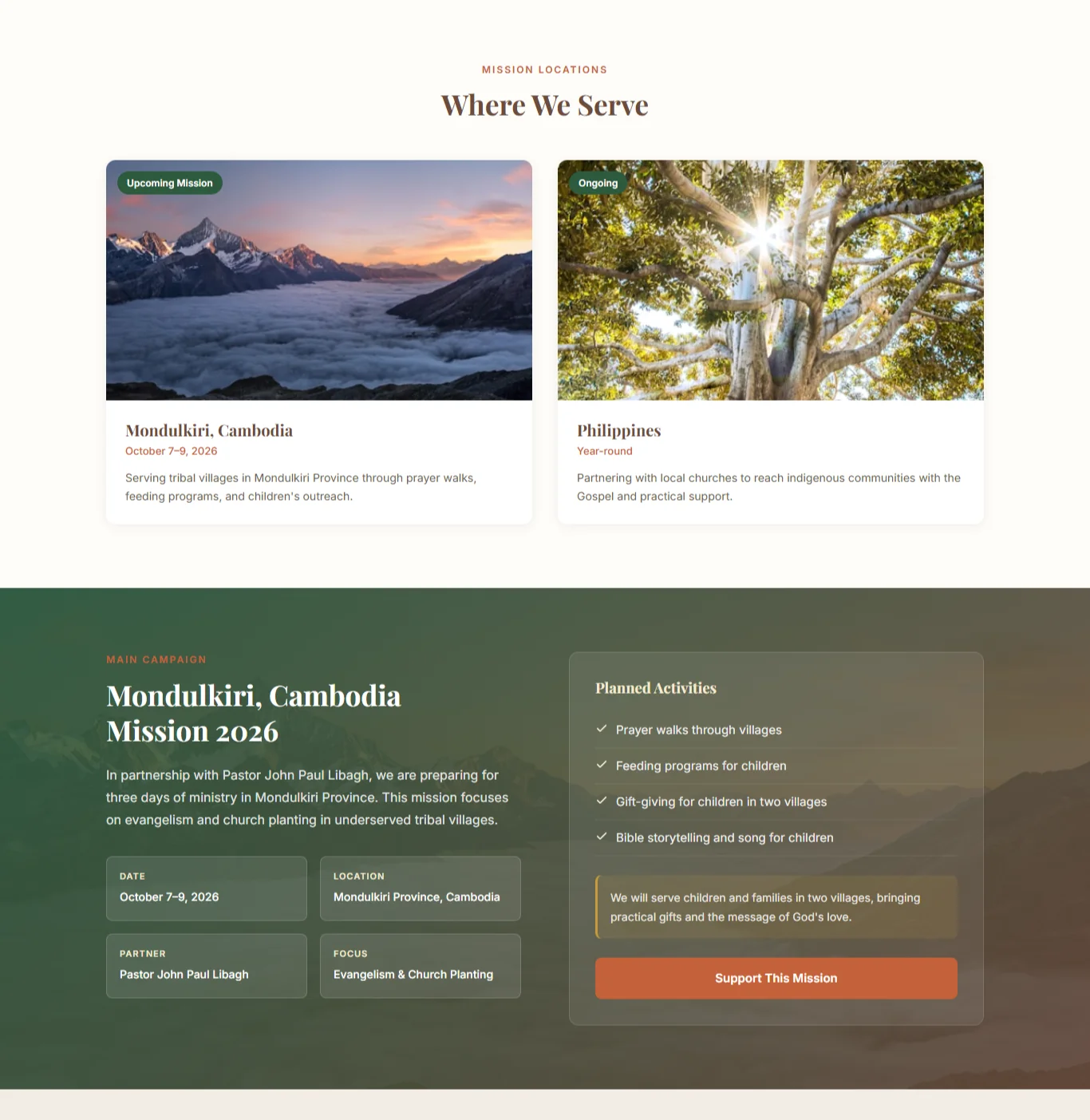
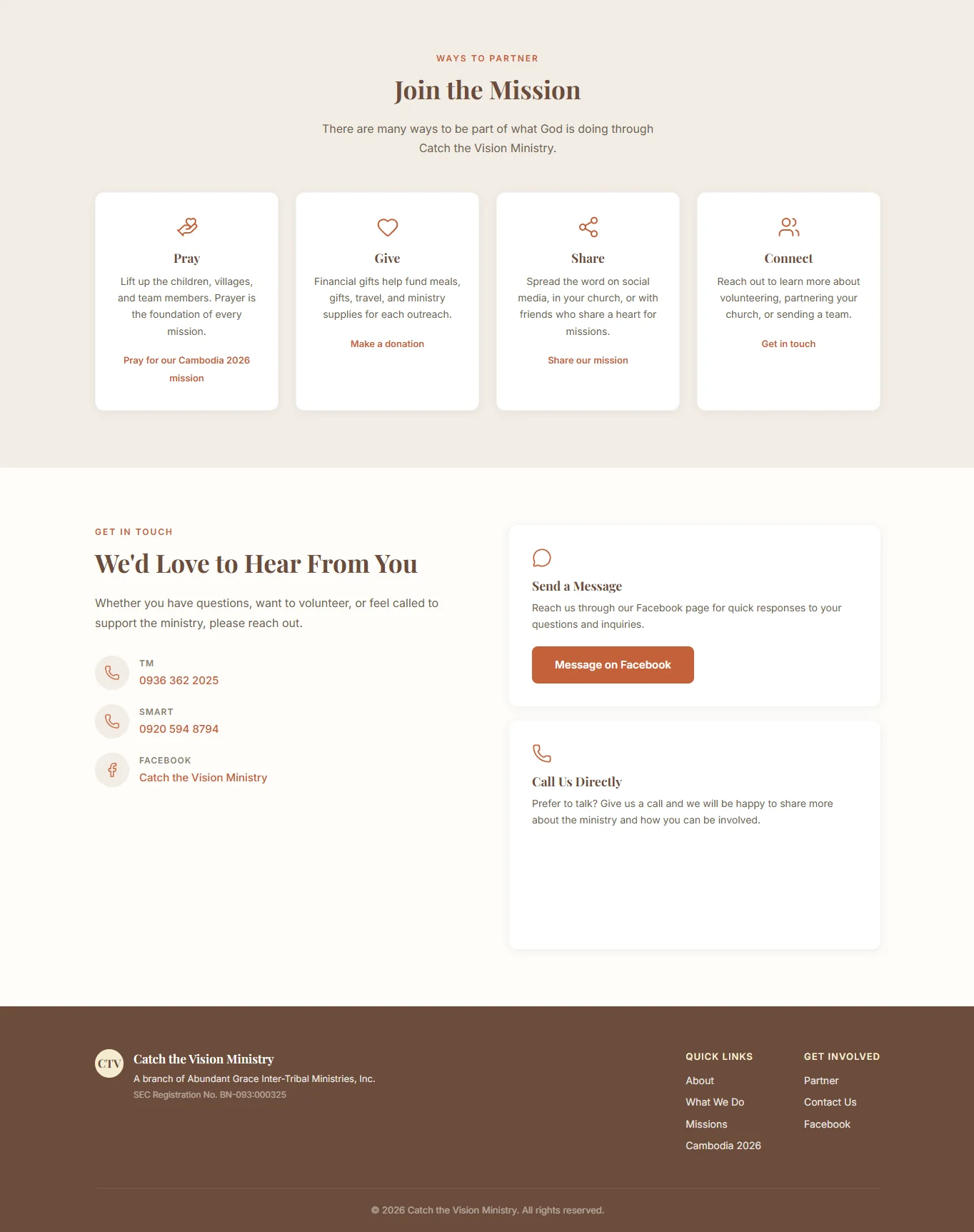
Catch the Vision Ministry Website

A public-facing ministry website designed to explain the organization mission, outreach locations, current campaign, and ways supporters can pray, give, share, or connect.

Read case study

Recommended first phase

Make the core workflow stable before expanding scope.

For schools and nonprofits, a useful first release usually starts with records, registration, review, or reporting before larger platform ambitions.

Map the current operational workflow

Define roles and permissions

Structure records and status rules

Build the primary registration or records flow

Add admin review

Add basic reporting

Deploy the first usable version

Document handoff and next-phase options

Usually later

What should usually wait

These may be valid later phases, but they can distract from the first workflow that needs to become reliable.

Full accountingPayrollDonor CRM replacementComplex LMS functionalityMobile appsAdvanced analyticsLarge ERP scopeDeep integrations before the core workflow is proven

Technical approach

Build around records, roles, and real status rules.

  • Data model before screens.
  • Role-based access for staff, administrators, and reviewers.
  • Clear status rules for records, terms, programs, approvals, and follow-up.
  • Database constraints where data integrity matters.
  • Audit-friendly workflow decisions when staff actions need traceability.
  • Secure deployment defaults and maintainable architecture.
  • Practical scope boundaries so the first release can actually be used.

Next step

Need a clearer system or website for school, ministry, or nonprofit work?

Send the current records, registration, reporting, or public communication workflow. The best first phase is usually the one that makes daily administration clearer without forcing a large platform rebuild.